
How Collateral Advisor Works
5 AI experts examine every page across medical, regulatory, visual, messaging, and structural dimensions.
1. Medical Reviewer
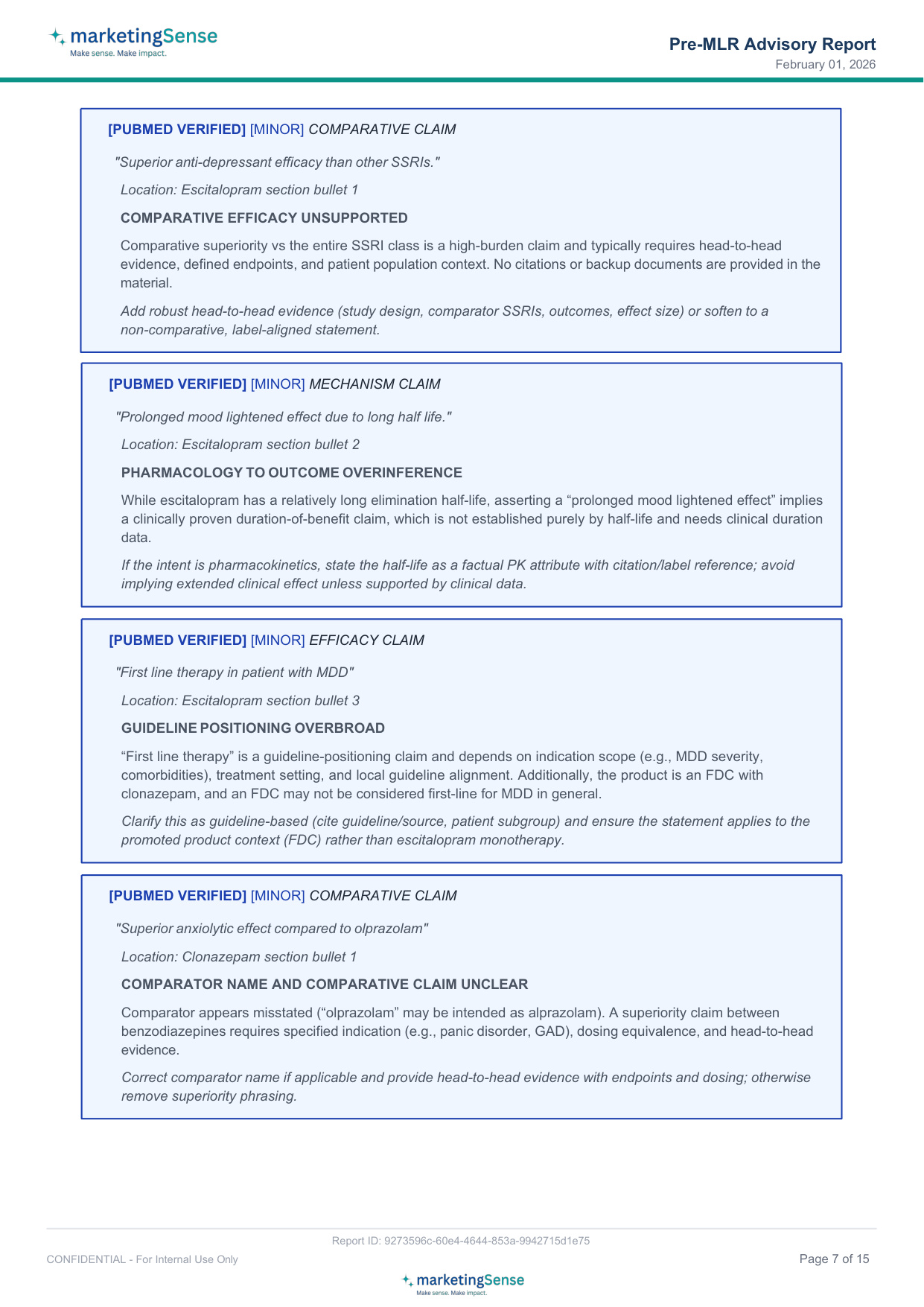
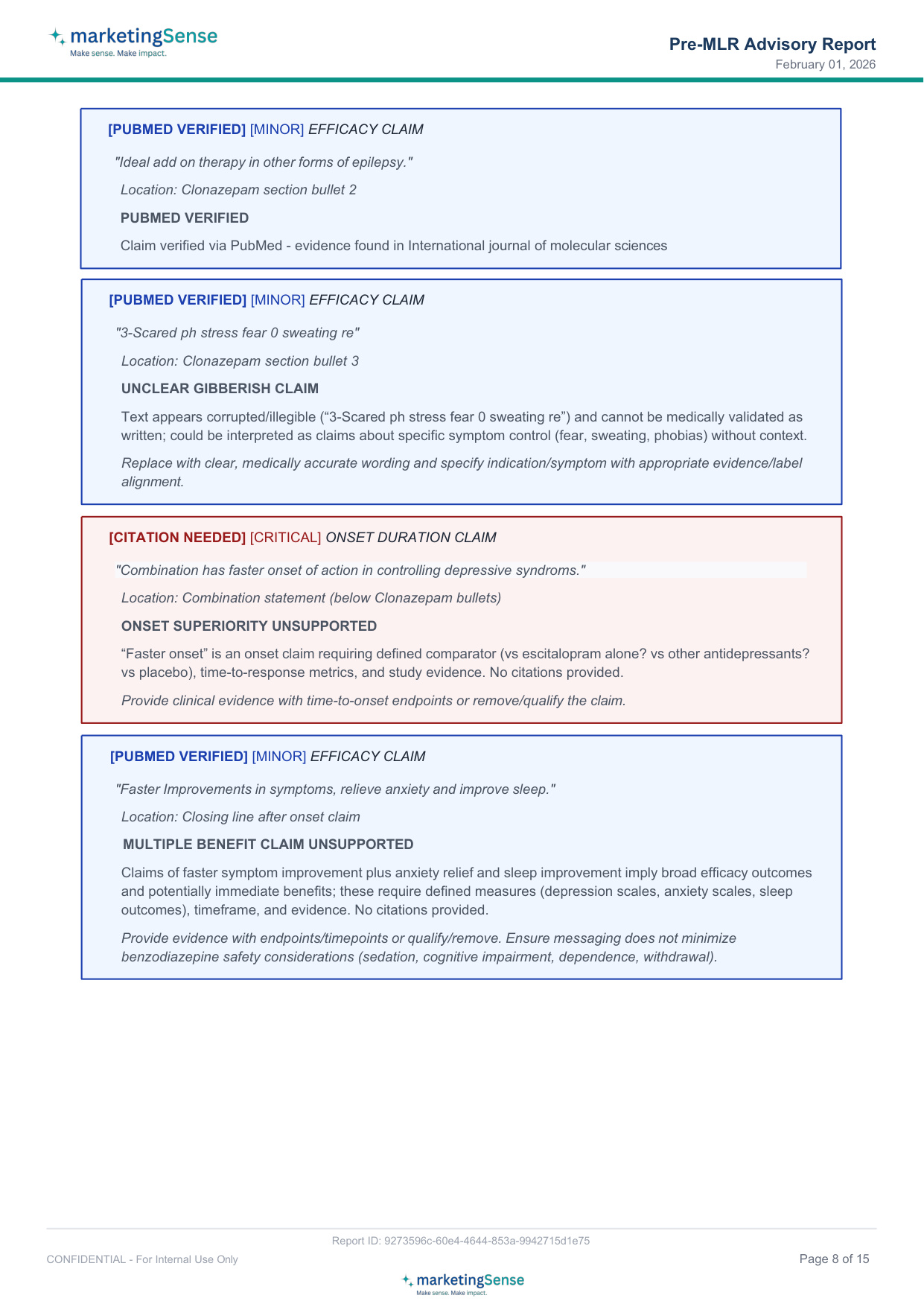
Reviews scientific claims and evidence alignment
- Examines clinical claims (efficacy, safety, dosing) for scientific accuracy concerns
- Checks if citations are present and appear to support the claims
- Generates PubMed search queries to help verify claims against published literature
Why it matters: 51% of doctors say clinical updates in product literature help them recall brand names — accurate scientific content builds credibility and memorability
Your Review, Your Curation
The AI does not replace your team's judgement. It informs it.
After the five experts complete their review, you see every finding. For each finding, you decide.
- Accept the finding. Optional comment if you want to add context.
- Skip the finding. Mandatory short reason so the reasoning stays captured.
- Verify against your source. Upload a reference that supports a flagged medical claim. When your source backs the claim, the flag eases by one severity level, the source is recorded, and any contradiction is surfaced.
As you accept, skip, or verify against your source, scores automatically recompute for the Final Assessment. Status bands update. What you end up with is a Final Assessment that reflects the AI output plus your team's judgement on every finding.
Ready for Your Designer
Once your curation is complete, Collateral Advisor generates a Designer Change Instructions PDF.
This is not a summary and not a generic brief. It tells your designer exactly what to change, page by page and finding by finding. Specific item-level guidance the designer can work from without coming back to you for clarification.
Your designer gets one clear document. You save revision cycles. Your team moves to field faster.
Supported Promotional Material Types
MarketingSense works across all major pharmaceutical promotional material types:
Doctor Detailing
- Visual Aid
- Leave Behind Literature
- Physician Sample Box
- Division Portfolio Reminder Card
Print & Posters
- Print Ad Brand
- In Clinic Poster For Patients
- Conference Standee
Digital
- Whatsapp Brand Marketing Image For Doctor
Patient & Scientific
- Patient Brochure
- Scientific Article Folder Cover
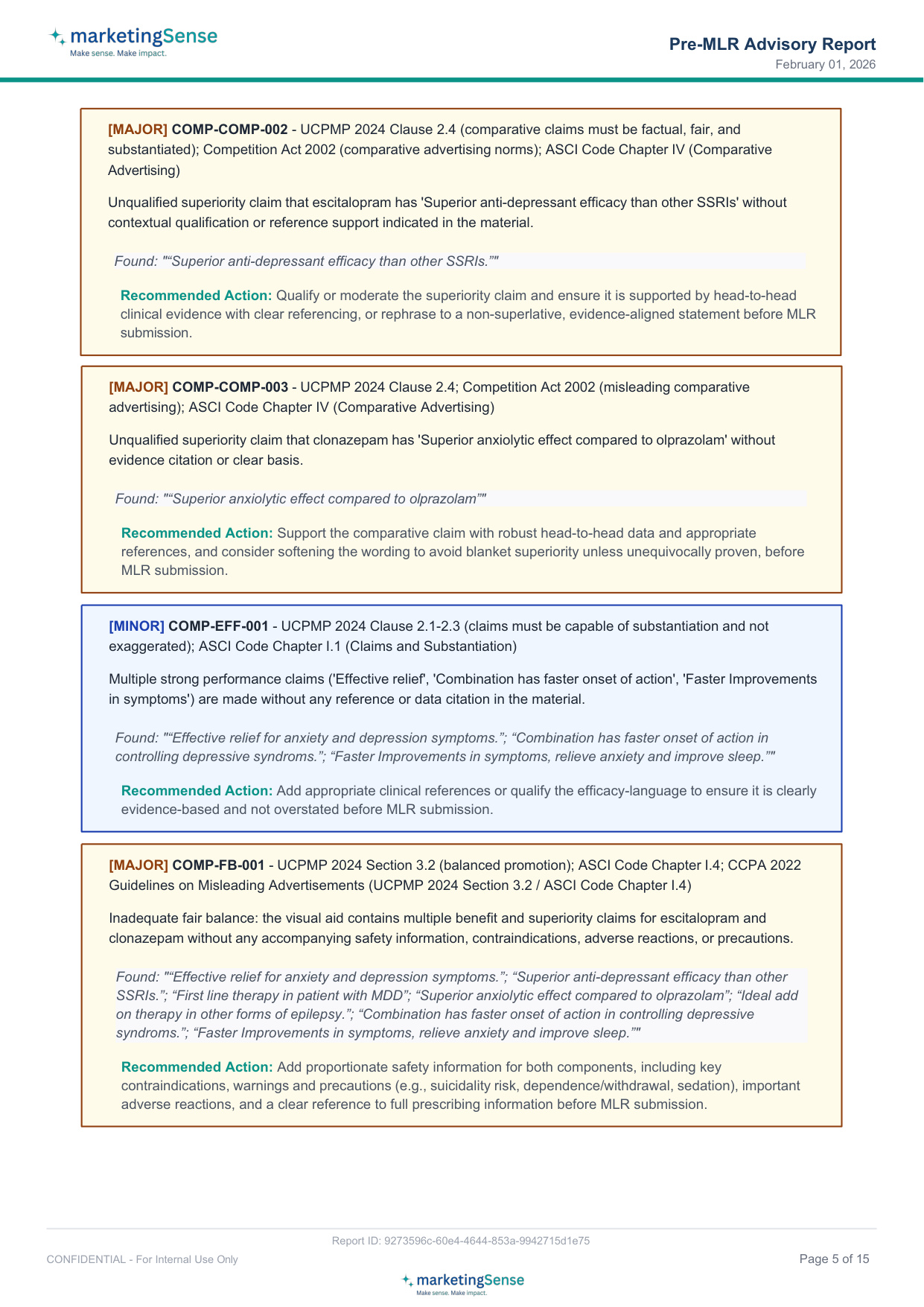
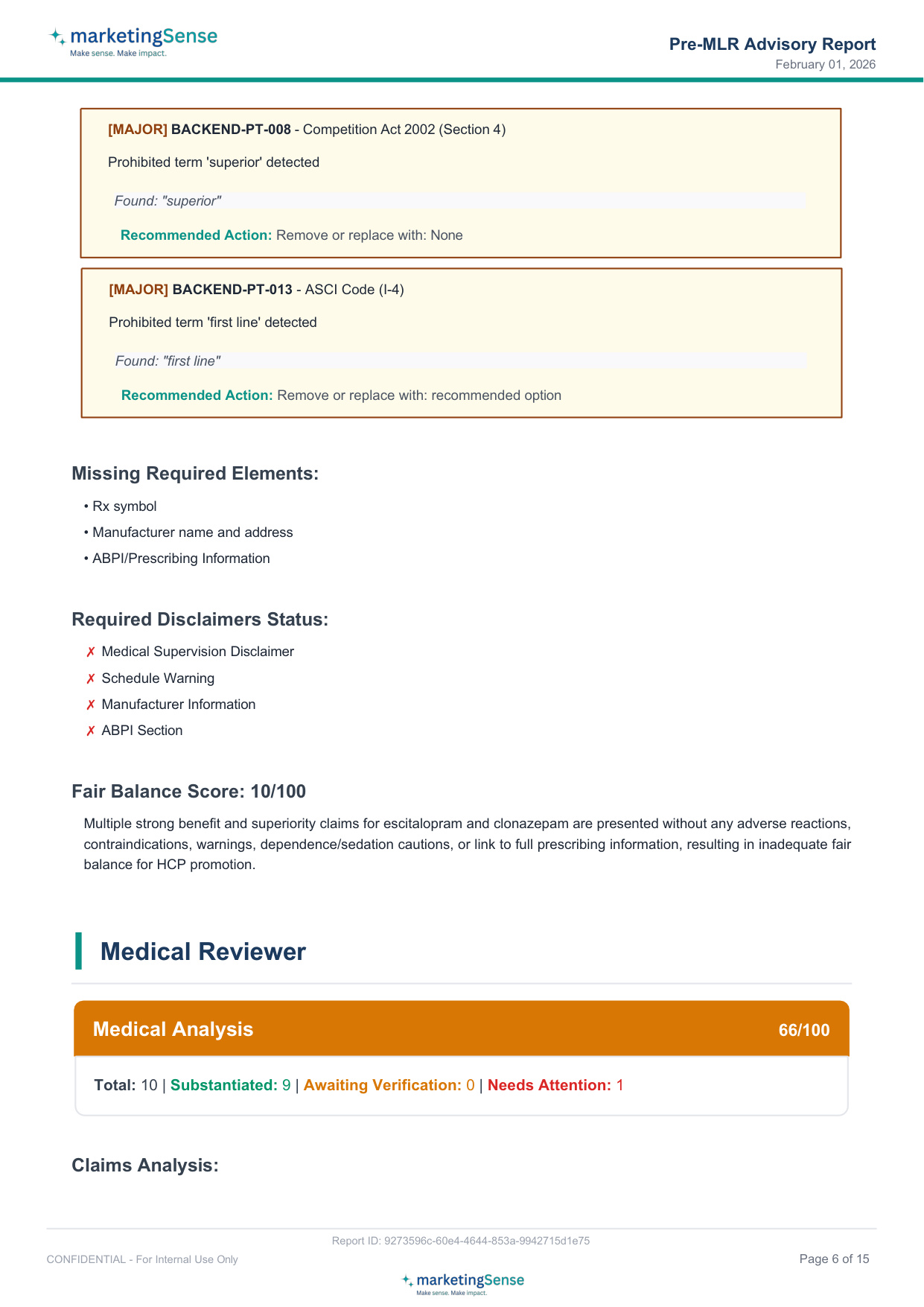
Sample Report
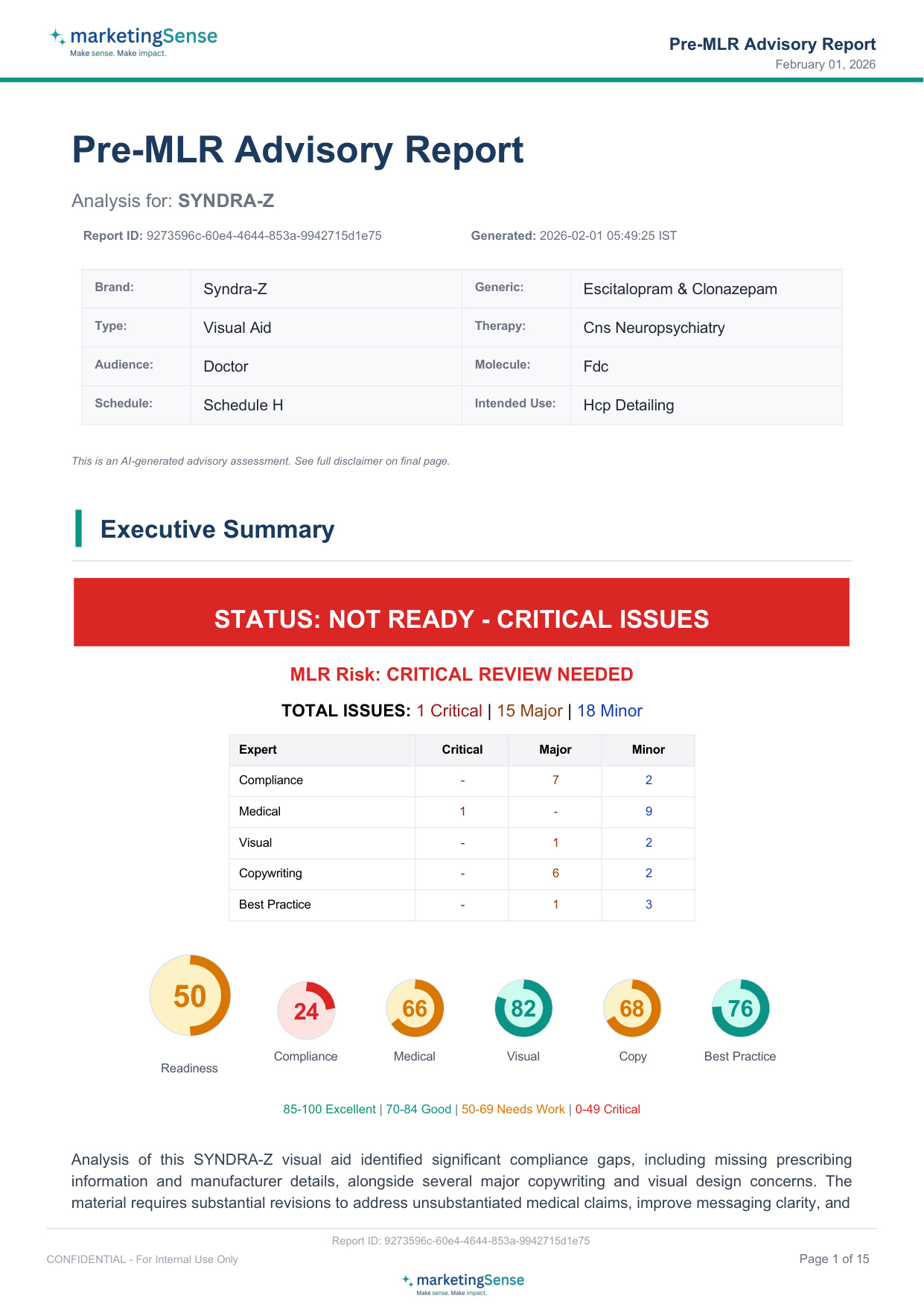
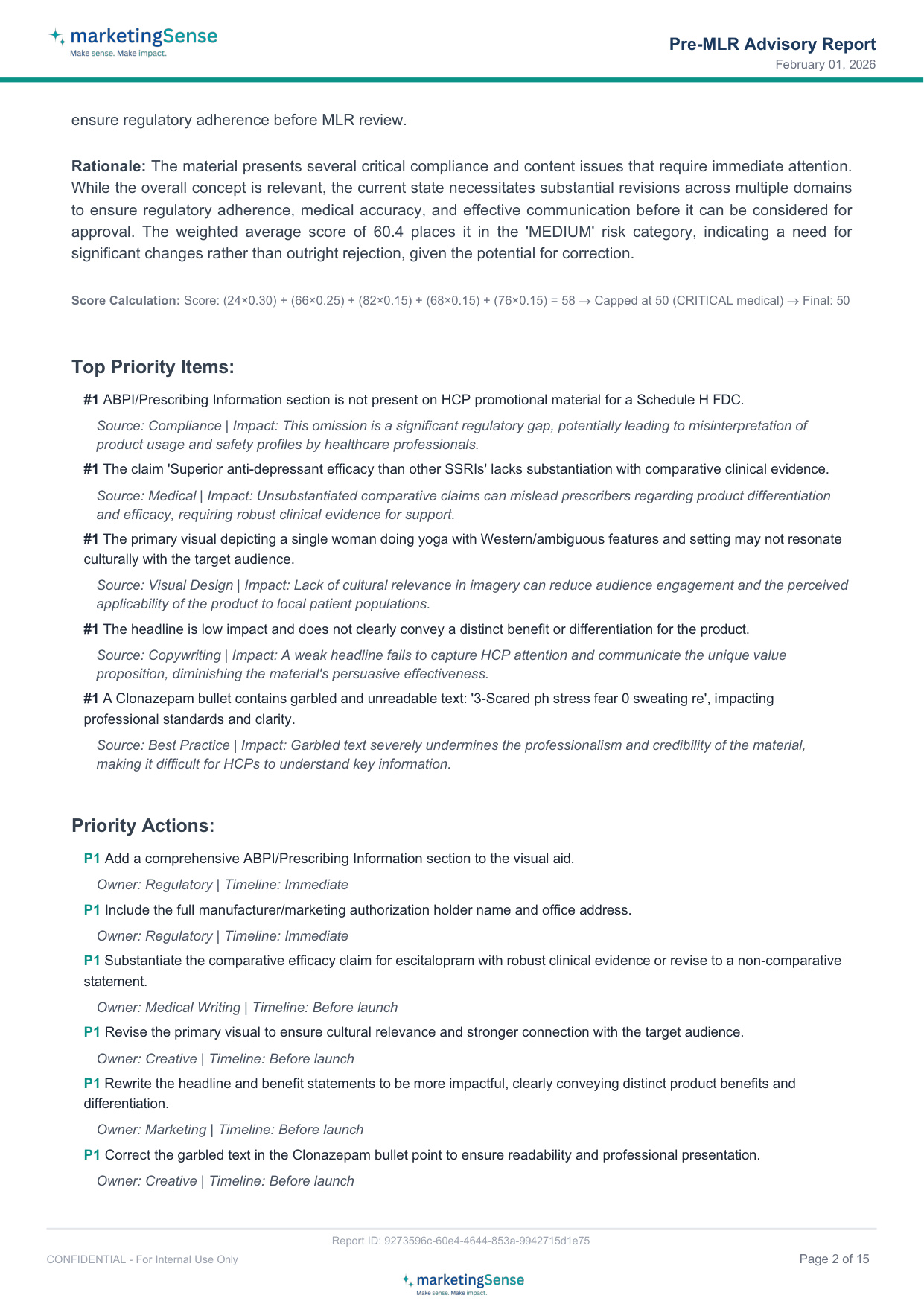
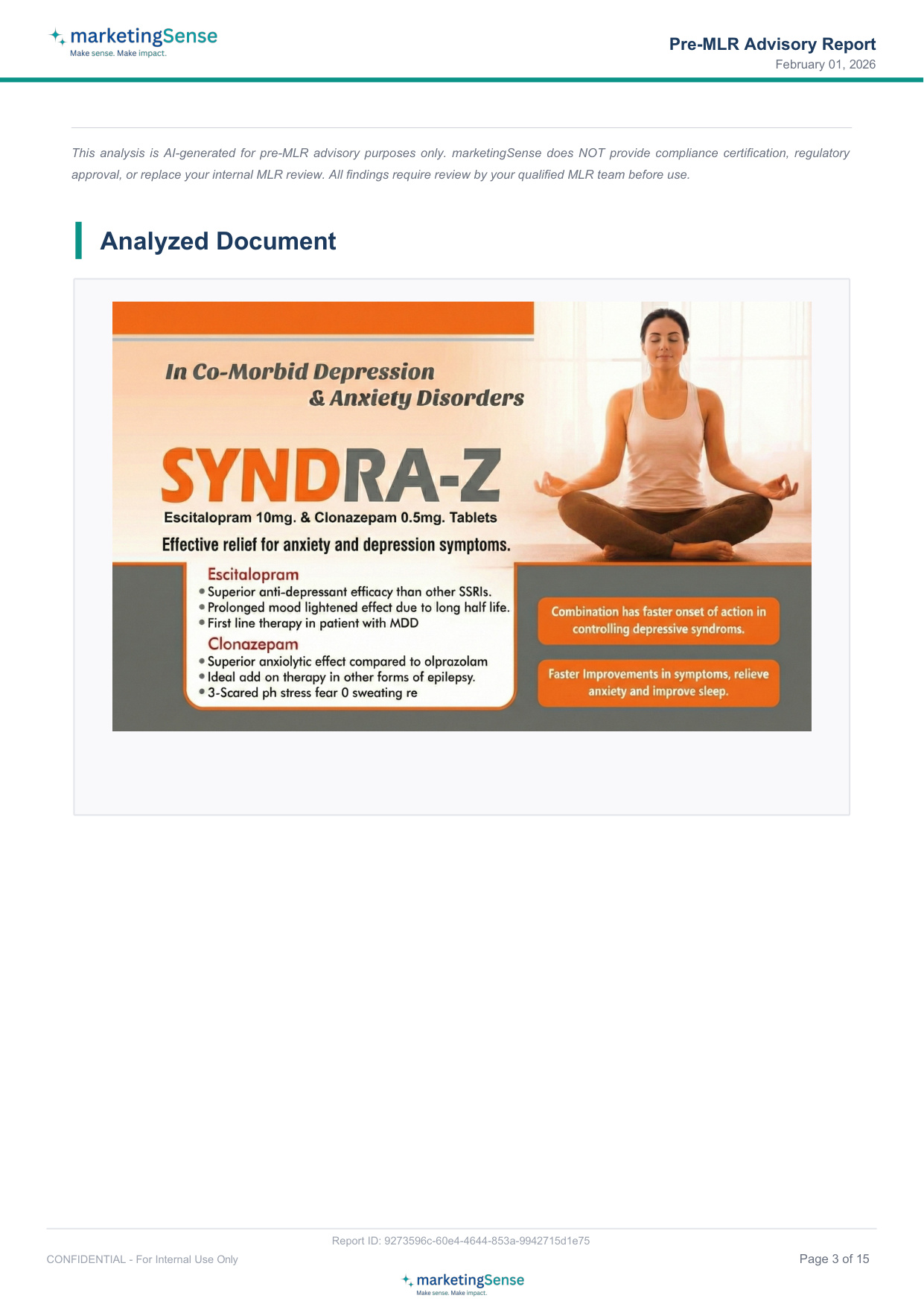
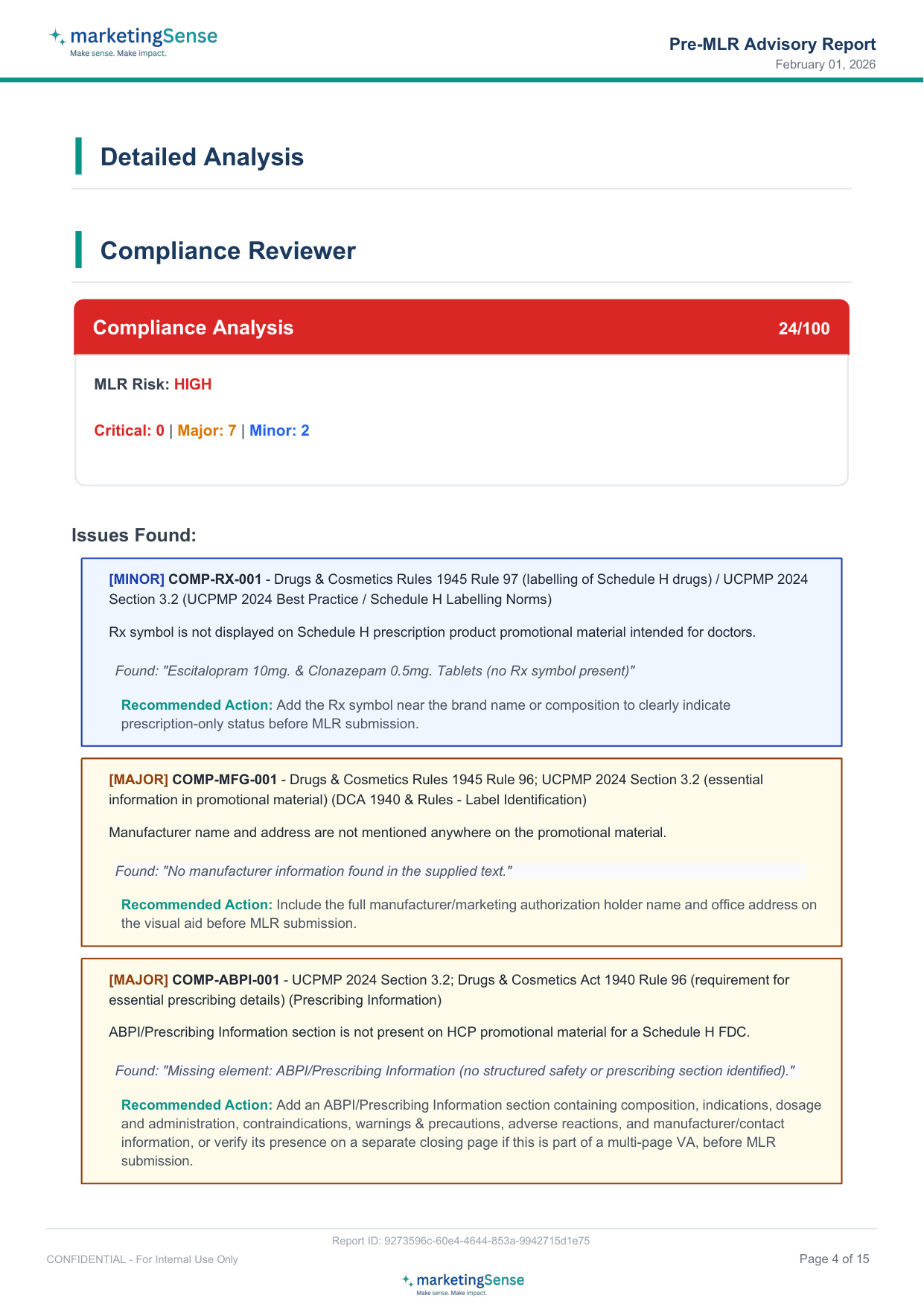
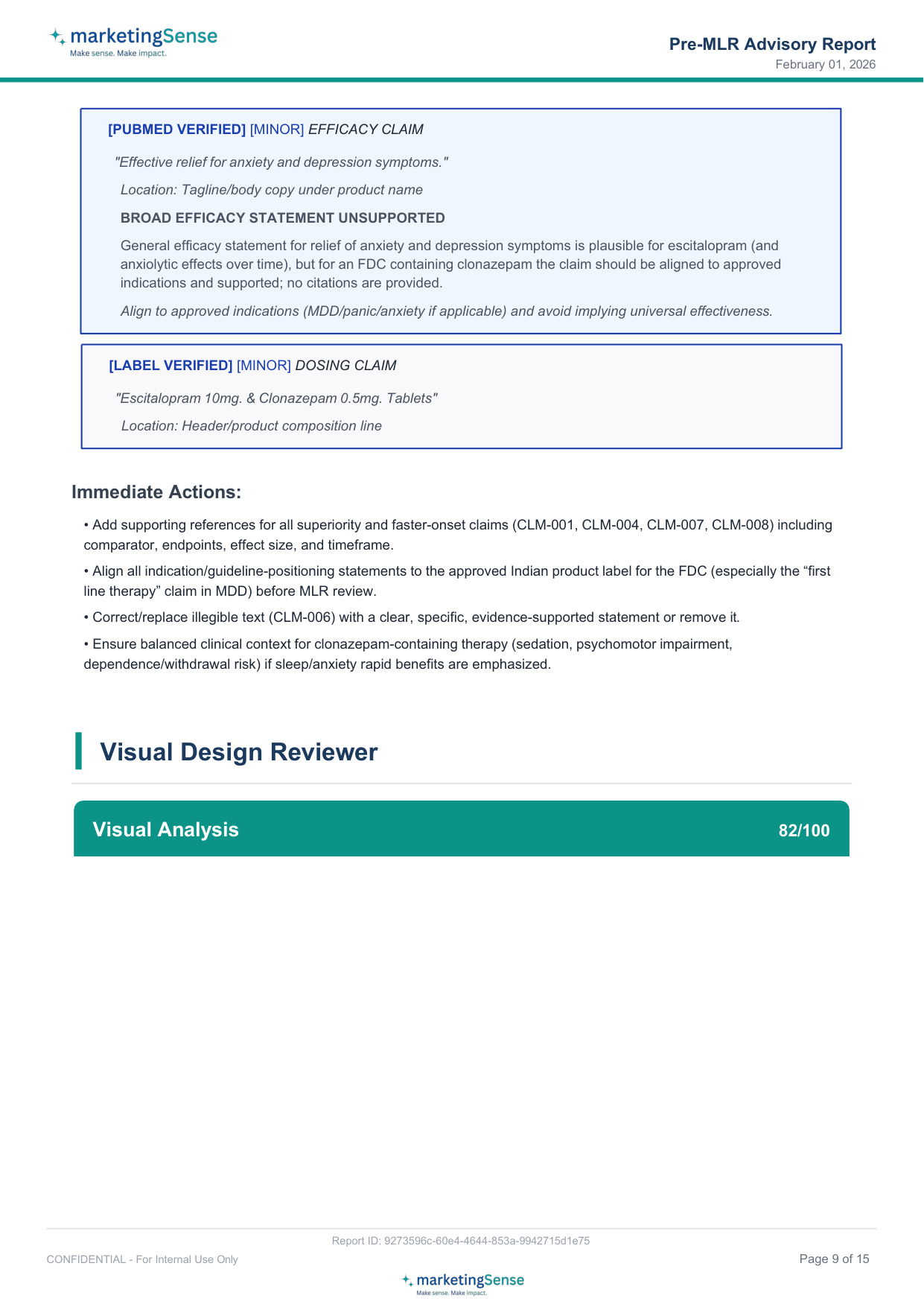
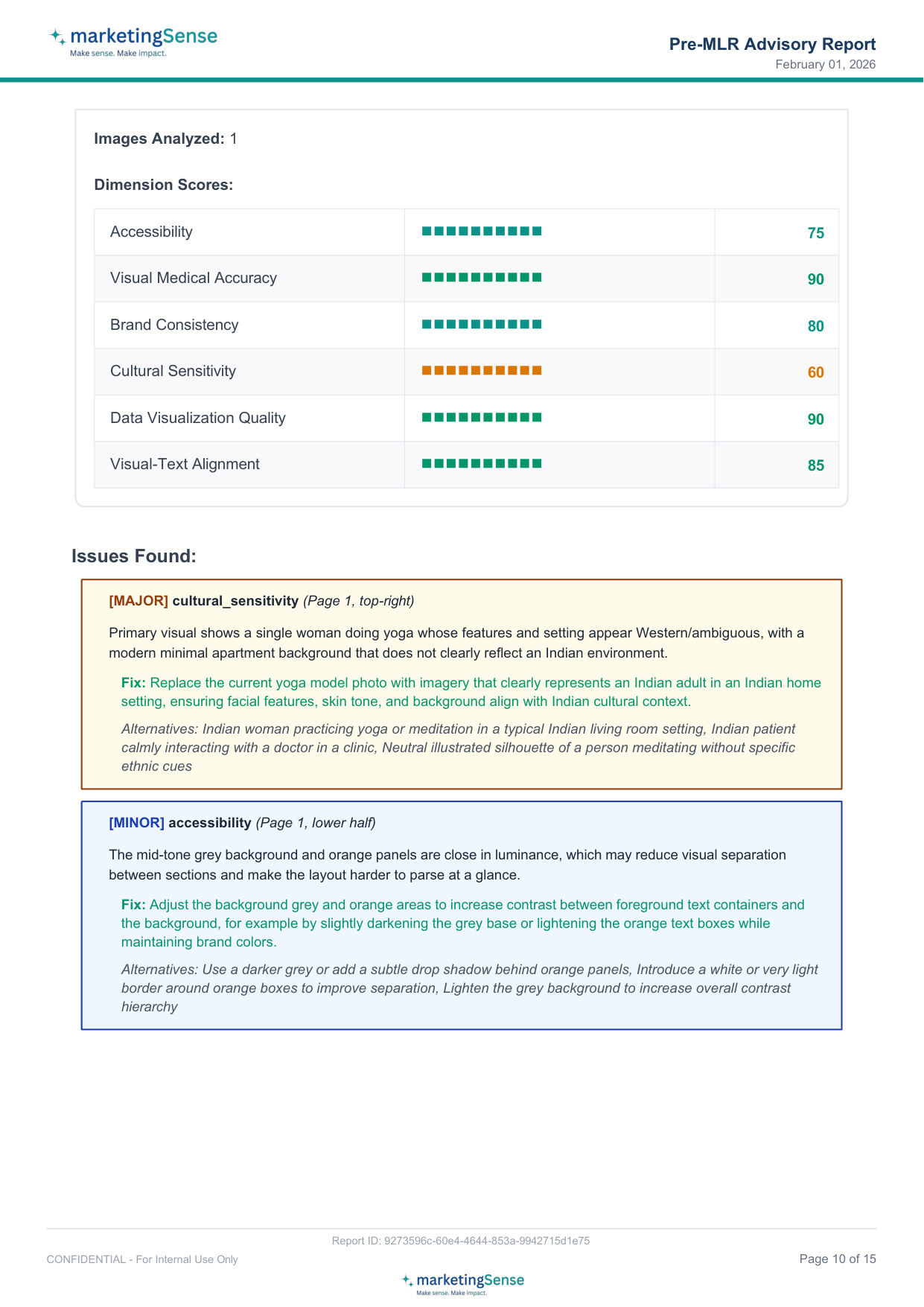
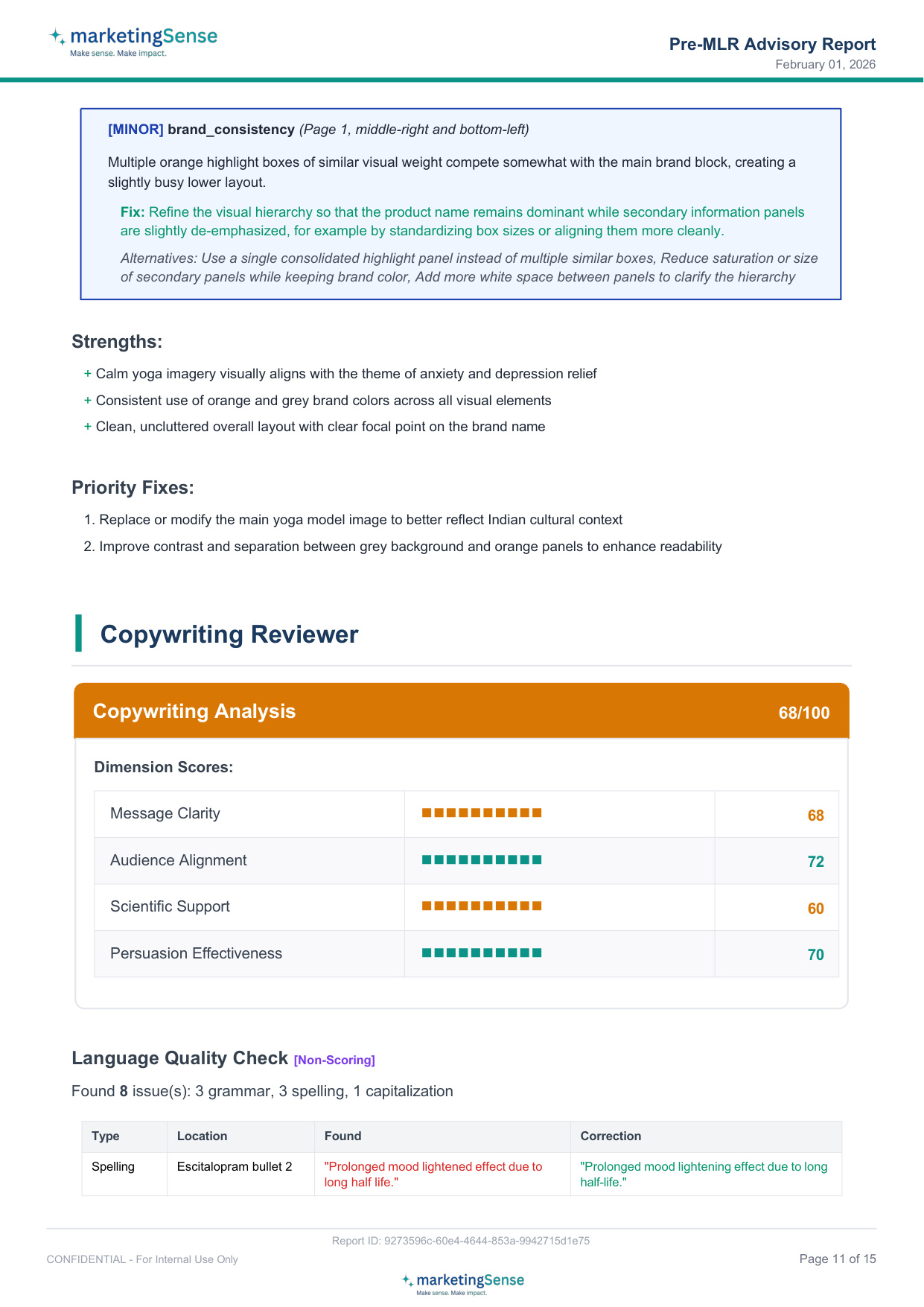
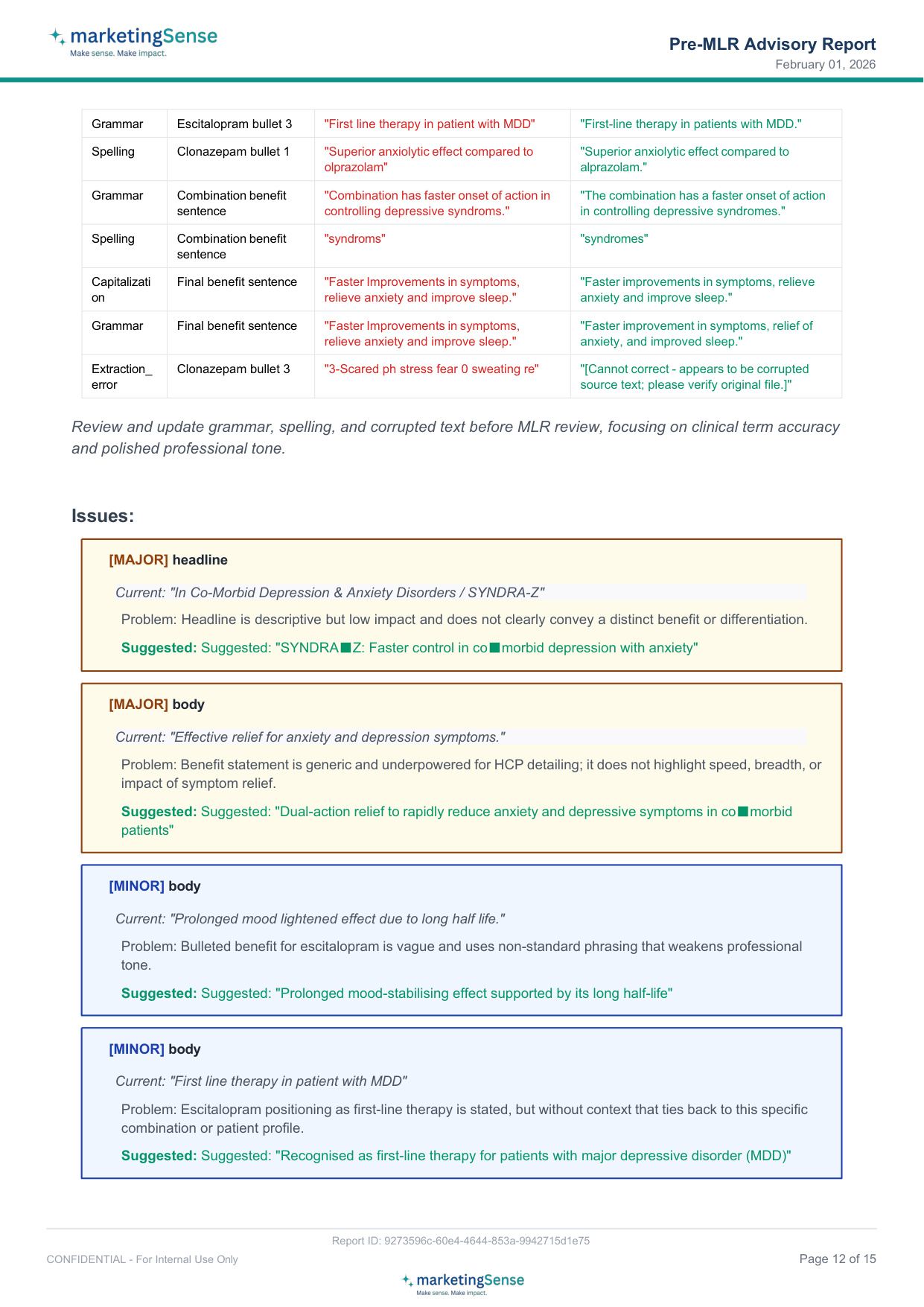
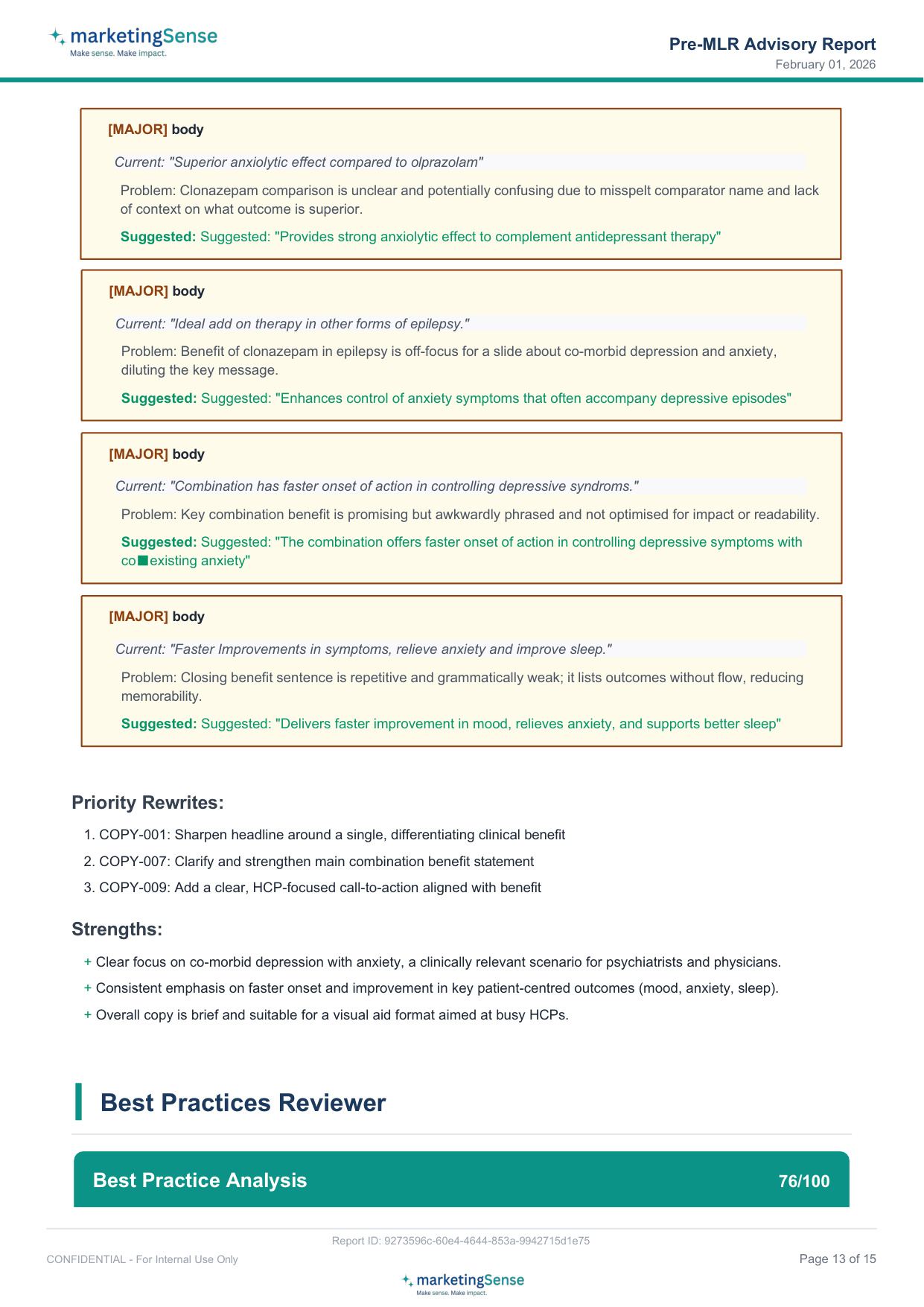
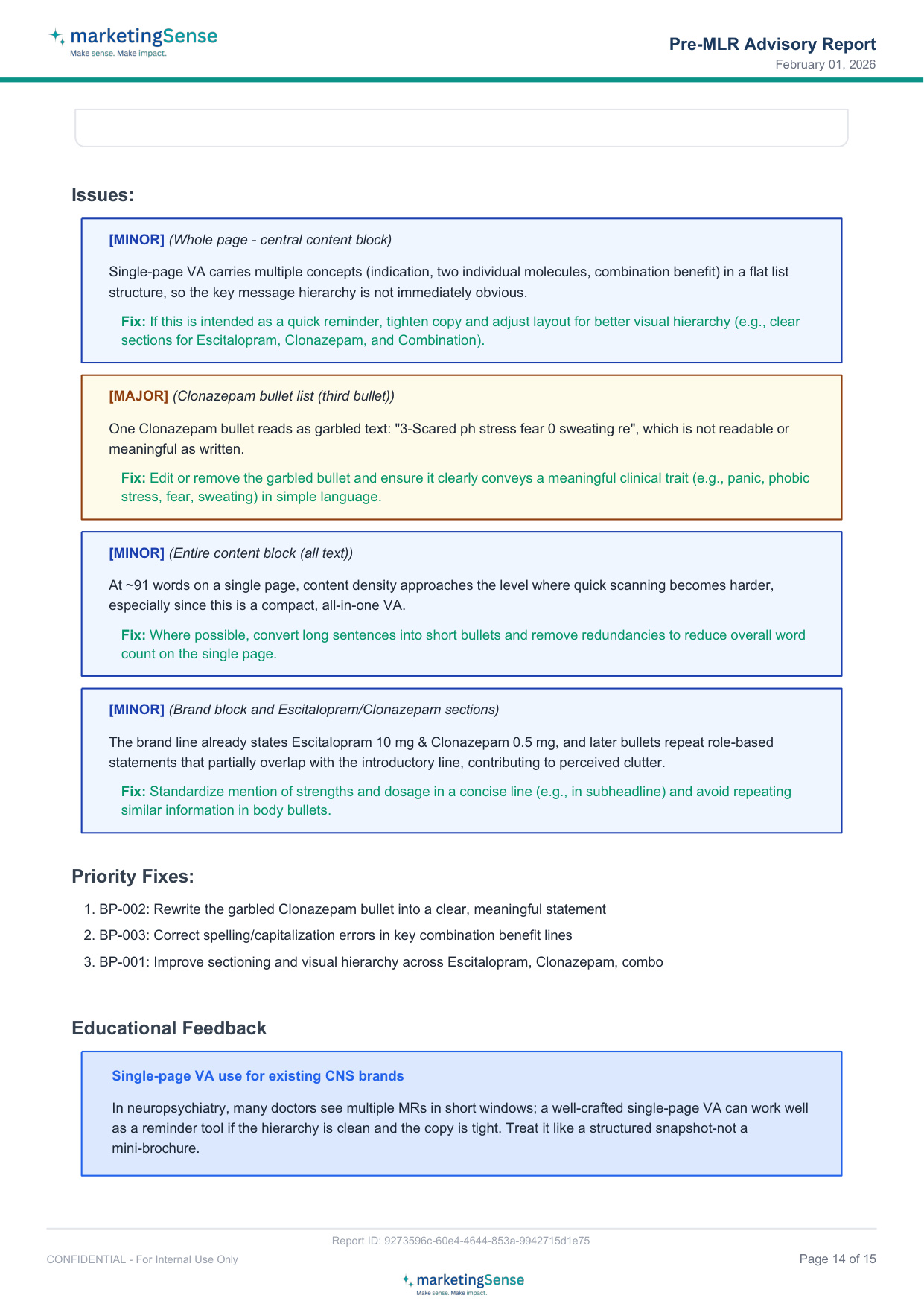
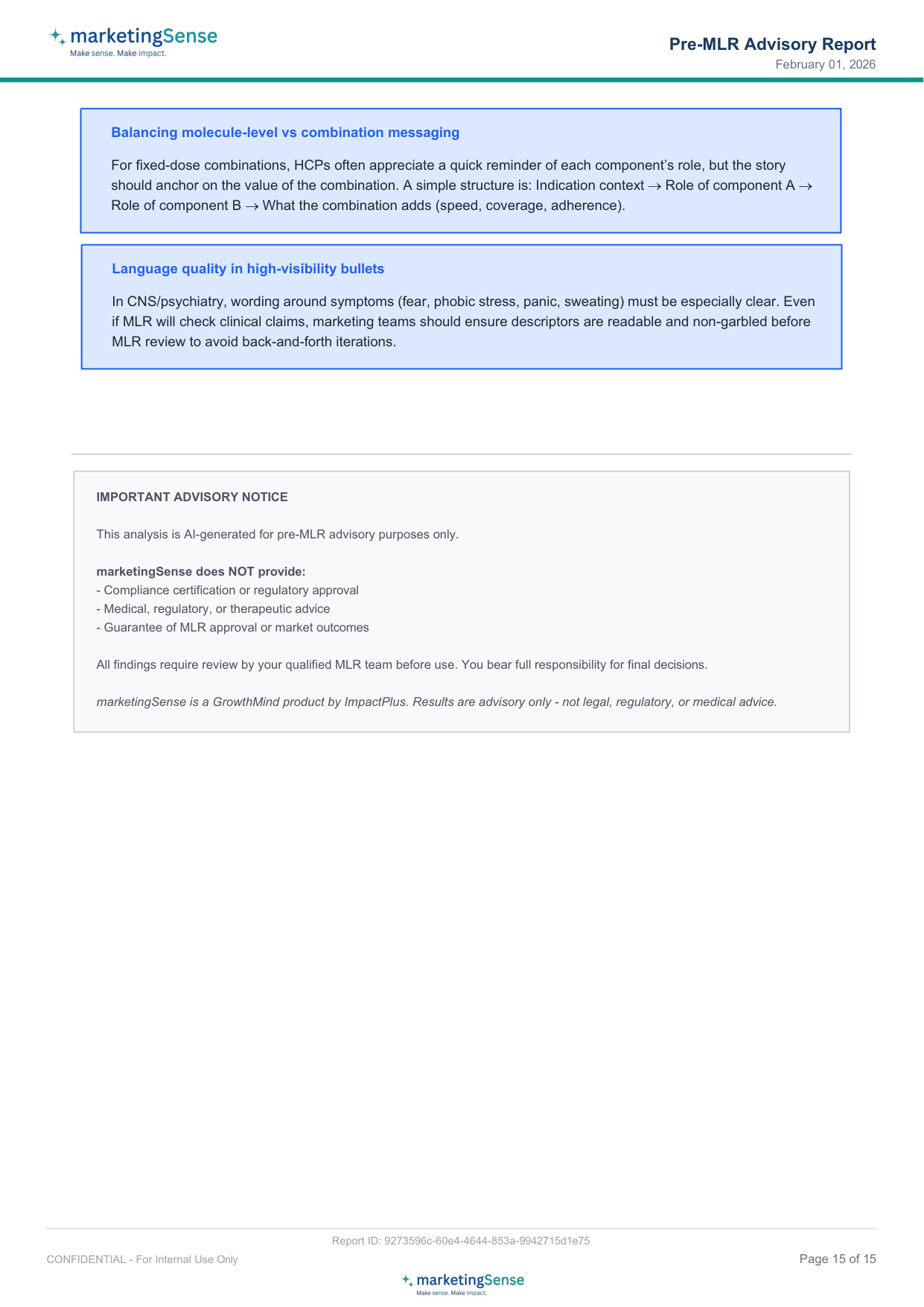
See an actual Pre-MLR Assessment Report generated by MarketingSense:
Don't Wait for Review to Tell You
See what your visual aid is missing. Get a free assessment with no commitment.